Offliner - HTML Project Localizer
A downloadable tool for Windows
Offliner - HTML Project Localizer
- Free Your HTML Apps & Games From The Shackles Of An Internet Connection -
Fast and Easy HTML localization
Allow your project to run locally without online dependencies holding it back.
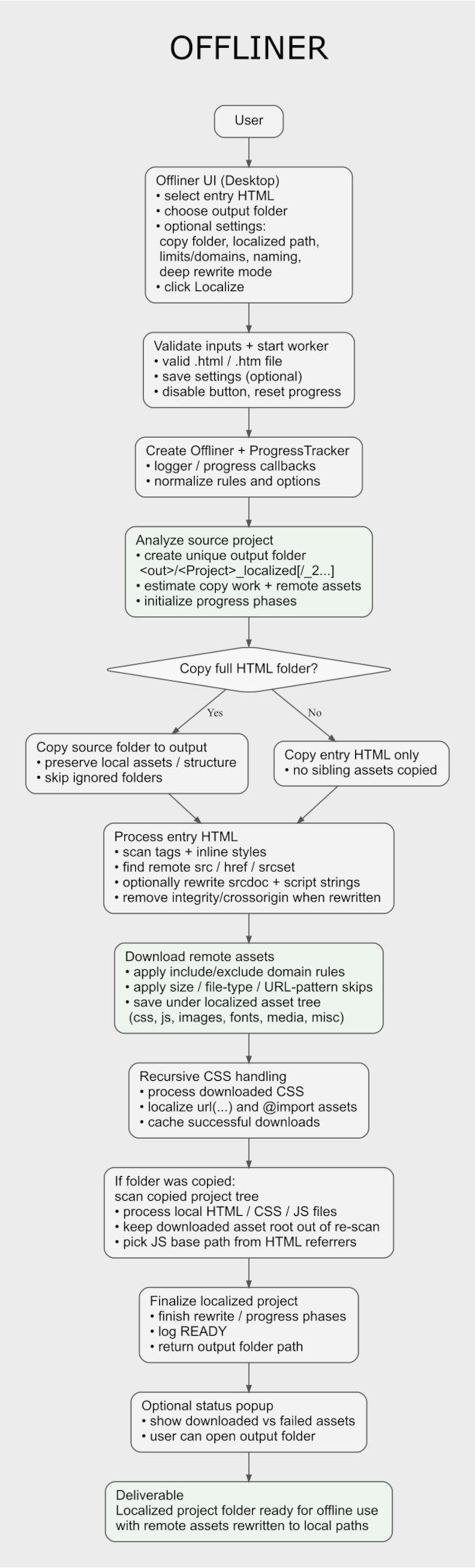
Offliner scans your project files, finds remote assets, downloads them, rewrites links, and helps turns your web project into an offline-friendly version of itself.
No manually hunting down missing files and No messy asset-by-asset saving.
Offliner is as simple as 1, 2, 3.
How to use:
1 - Select your HTML file.
2 - Click localize.
3 - You’re done!
Yes, It really is that simple.
And NO coding required!
Free Version Available!
The free version is the full basic Offliner app, but NO Advanced Settings.
Perfect for: students, hobbyists, indie devs, game jams, archiving projects, or anyone that needs a simple and free solution to localize an HTML project.
Look below for the demo download button.
If you like Offliner and the demo helps you out, consider buying the full app.
Thanks either way!
Key features:
- More than just 'Save As': Same powerful asset detection, download, and rewrite engine as used in Wapper - HTML To EXE, built for speed and ease-of-use.
- Localize remote assets: scans your HTML and related project files for remote assets and downloads them into your project for offline use.
- Rewrite links automatically: updates asset references so your project points to the downloaded local files instead of the online originals.
- Project-wide scanning: can inspect not just the selected HTML file, but also related HTML, CSS, and JS files in the copied project.
- CSS asset support: detects and localizes assets referenced in CSS, including
url()links and@importfiles.
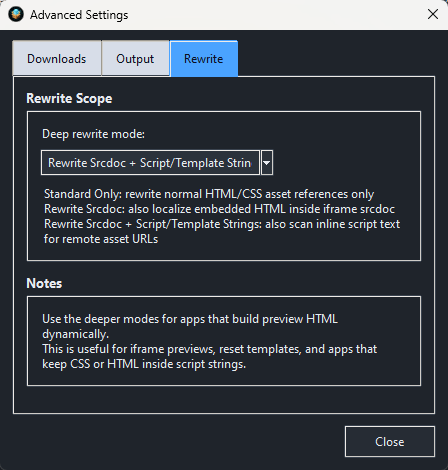
- Deep rewrite support: can also catch remote links inside srcdoc content and script/template strings for tougher projects.
- Copy project assets: keep your local project structure and output a localized version without manually rebuilding folders.
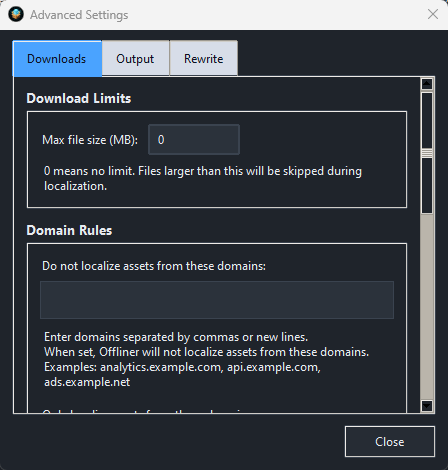
- Domain controls: exclude domains, allow only specific domains, or skip URL patterns to stay in control of what gets downloaded.
- File type controls: skip asset types you do not want included.
- Max file size filter: avoid pulling huge remote files you do not want in the localized output.
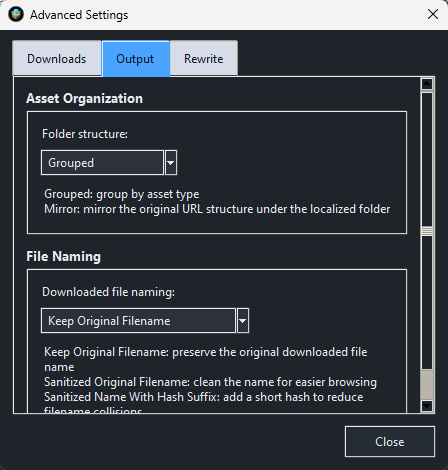
- Folder structure options: choose how downloaded assets are organized in the output.
- Downloaded file naming options: keep original filenames or use safer naming options for cleaner output.
- Status + download summary: review what was downloaded successfully and what could not be localized.
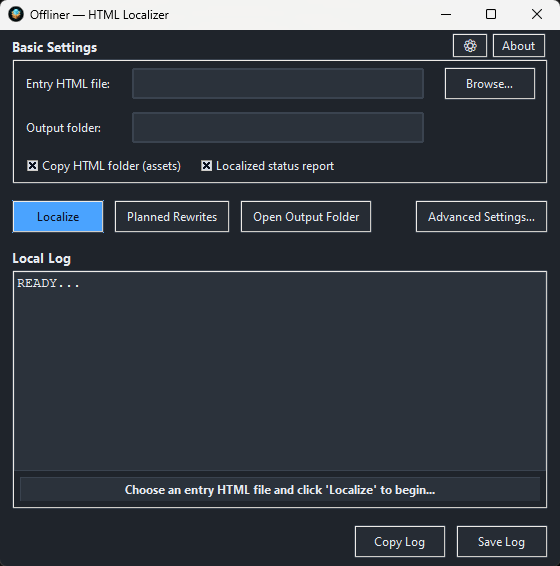
Basic settings:
- Select HTML file.
- Choose output folder.
- Copy project folder/assets.
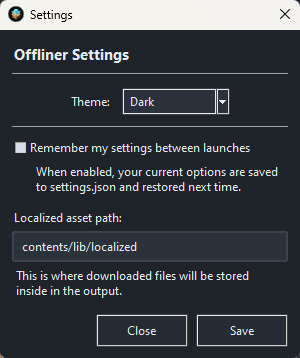
- Localized asset path
- Show localization status after completion.
Advanced settings:
- Max file size
- Folder structure mode
- Downloaded file naming
- Deep rewrite mode
- Excluded domains
- Include only domains
- Excluded file types
- Skip URL patterns
What Offliner does:
Offliner makes a best effort to convert a web project that depends on online assets into a self-contained local version that no longer requires an internet connection.
That means it can help with things like:
-
downloading remote images, stylesheets, scripts, fonts, audio, and video
-
rewriting HTML, CSS, and some JS-linked asset paths
-
making archived demos, prototypes, tools, and portfolio pieces more portable
-
reducing dependency on live CDNs or third-party asset hosts
Note: Not every HTML project, game, or web app can be perfectly localized, especially if it depends on live APIs, server-side logic, authentication, streaming content, or highly dynamic remote behavior. In other words, Offliner is NOT 100% guaranteed to work on all HTML.
But for many HTML projects, Offliner can save a ton of time and manual work.
Use cases:
- Archive a web project properly: save a project with its remote assets pulled down locally instead of hoping those links still work later.
- Prepare an offline demo: make your HTML app, prototype, or classroom project more reliable when internet access is spotty or unavailable.
- Clean up portfolio pieces: localize remote dependencies so your showcase project is easier to move, zip, share, or preserve.
- Game jam and prototype backup: keep experimental builds from breaking later because some remote file disappeared.
- Preserve old tools and dashboards: save small utilities or internal web tools in a more portable local form.
- Reduce remote dependency headaches: avoid surprise breakage from changed CDN links, deleted files, or unavailable third-party assets.
Requirements:
- Windows 10 / 11
Purchase
In order to download this tool you must purchase it at or above the minimum price of $1.99 USD. You will get access to the following files:
Download demo
Development log
- Offliner - HTML Project Localizer - Released!Mar 17, 2026
Comments
Log in with itch.io to leave a comment.
This is useful as well! I'll try the HTML to EXE first & get this next