GridMotion - Spritesheet Editor
A downloadable tool for Windows
GridMotion - Spritesheet Editor
~Metadata-Driven Spritesheet Editing~
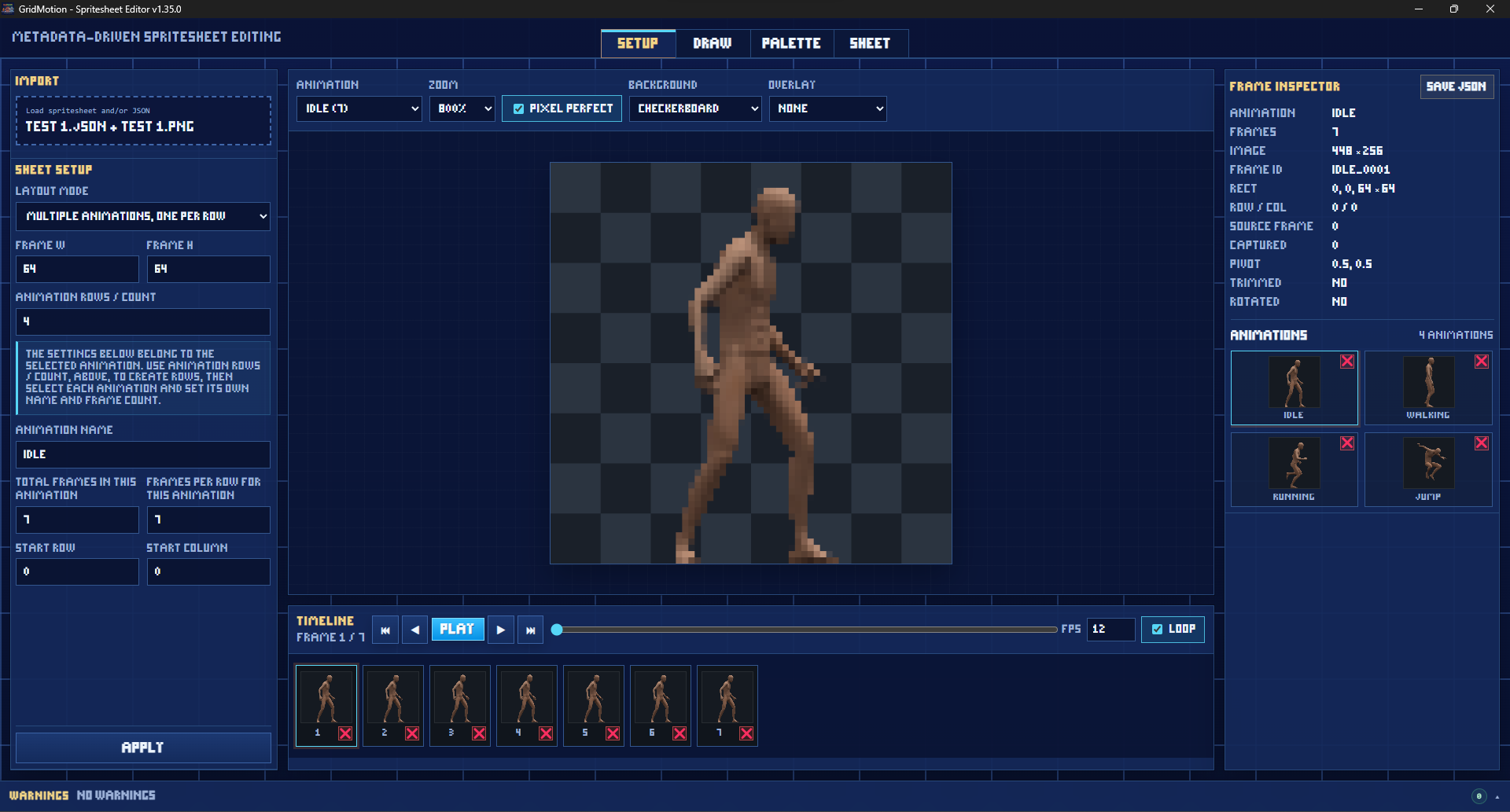
GridMotion is a pixel-art focused spritesheet editor for building, editing, previewing, palette-tuning, and exporting animation sheets with matching JSON metadata.
It is made for small game sprites, animation sheets, pixel-art workflows, and quick frame-by-frame cleanup without needing a full art suite.
To celebrate the release of GridMotion,
it's time for a SALE!
Get GridMotion 50% OFF, Today!
Free Version Available!
The free version is the full GridMotion app, but NO layered drawing or applying palettes.
A non-intrusive freebie! No watermarks and No usage limits.
Perfect for: students, hobbyists, indie devs, game jams, or anyone that needs a basic, free spritesheet editor.
Look below for the demo download button.
If you like GridMotion and the demo helps you out, consider buying the full app.
Thanks either way!
Features:
- Load spritesheet images and JSON metadata.
- Create metadata from scratch when you only have an image.
- Preview animations with FPS, looping, zoom, backgrounds, overlays, and ghosting.
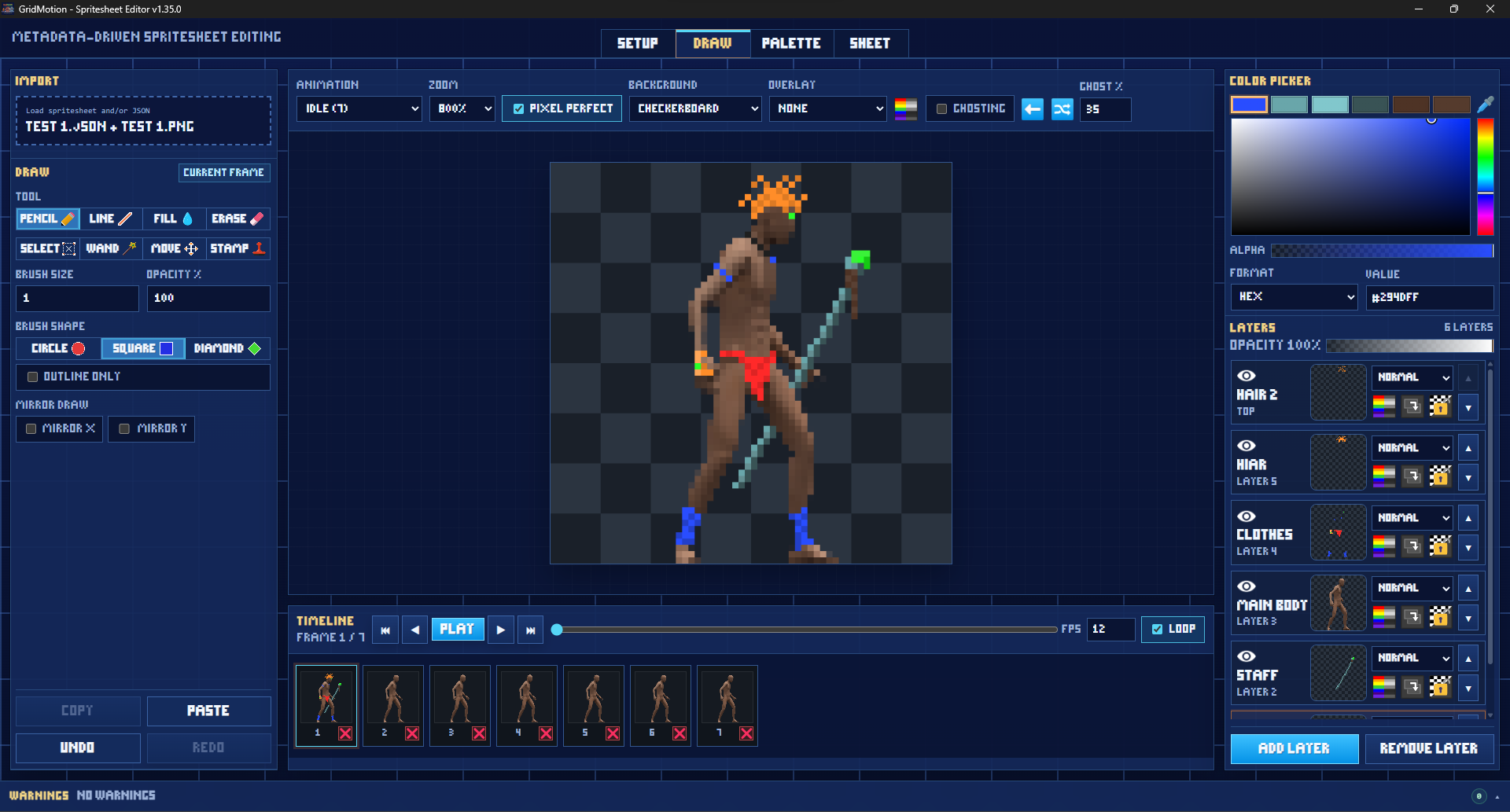
- Edit frames directly with Pencil, Line, Fill, Erase, Select, Wand, Move, and Stamp tools.
- Use brush shapes: Circle, Square, Diamond, and Outline Only mode.
- Work with per-frame layers, opacity, blend modes, clipping, alpha lock, visibility, and greyscale.
- Copy, paste, move, transform, and stamp selected pixels.
- Use ghosting to compare previous/next frames while animating.
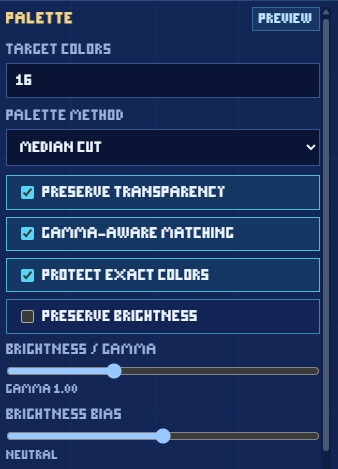
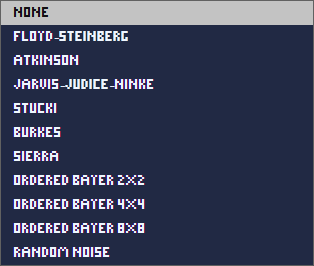
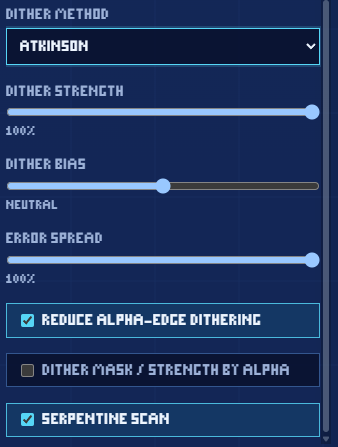
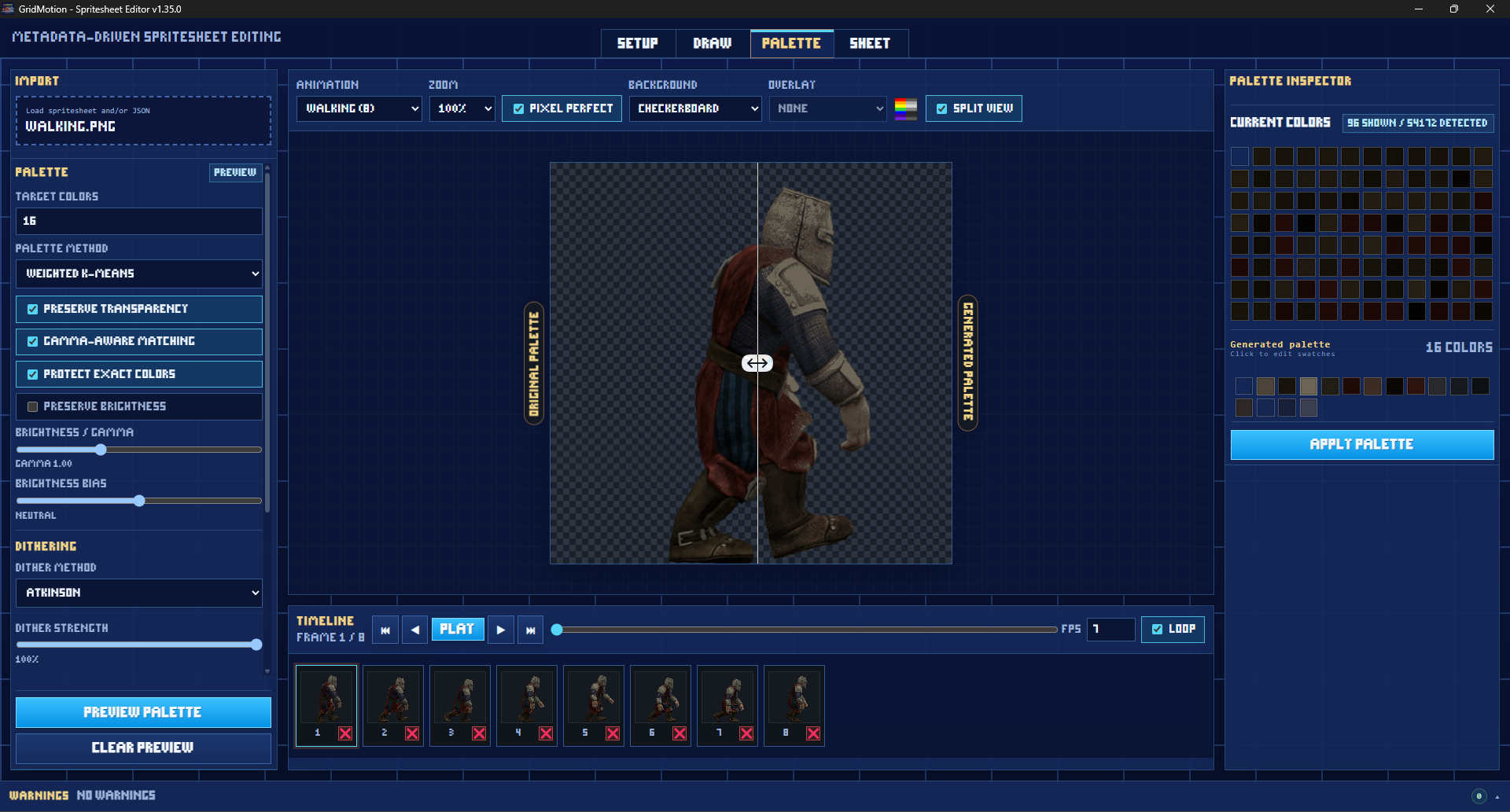
- Preview and apply palette reduction with dithering options.
- Inspect, edit, isolate, and highlight generated palette colors.
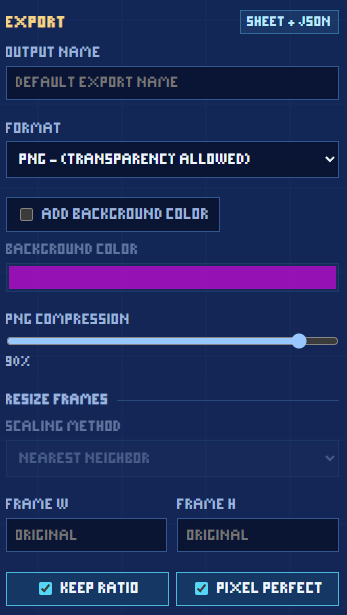
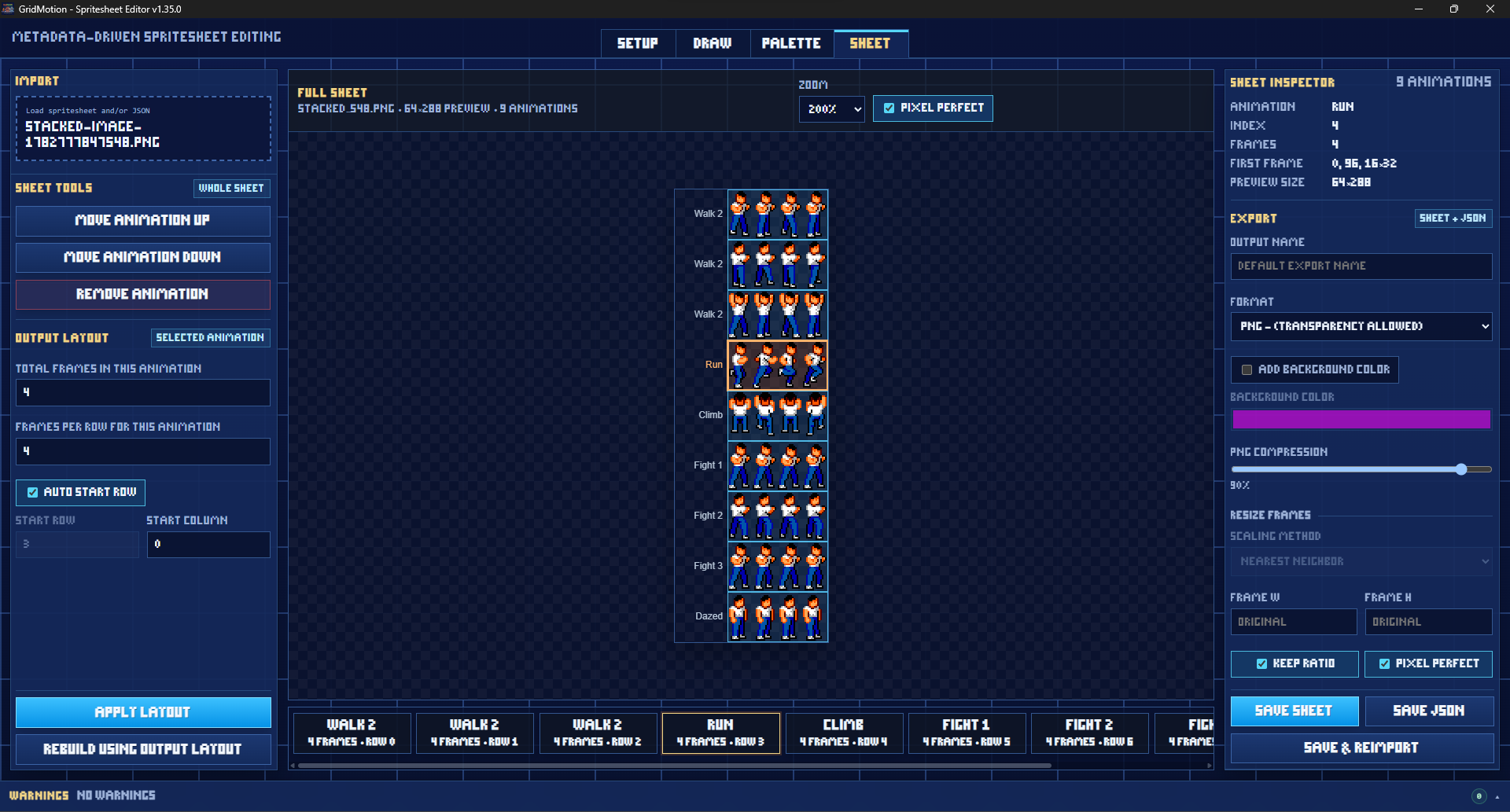
- Rebuild sheet layouts and export updated spritesheets with matching JSON.
- Resize exported frames with pixel-perfect or smooth scaling options.
- Dark UI designed for pixel-art editing.
Good for:
- Cleaning up existing spritesheets.
- Making small frame edits without opening a large art program.
- Building JSON metadata for sheets that do not already have it.
- Reordering or rebuilding animation layouts.
- Reducing palettes for retro-style art.
- Checking animation timing and frame alignment.
- Creating stamps from selected pixels for repeated details.
Example uses:
- Load a character walk cycle, fix a few pixels, then save the updated PNG and JSON.
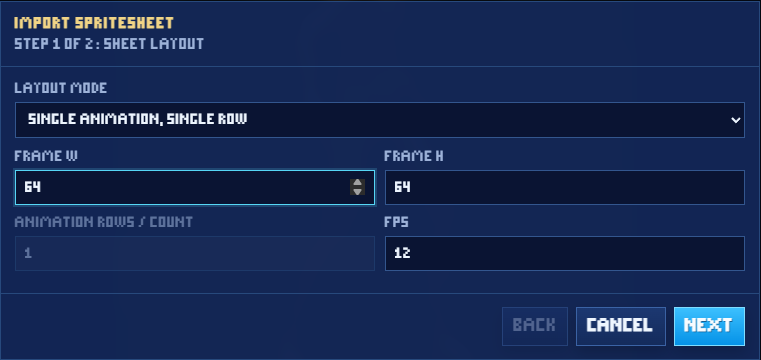
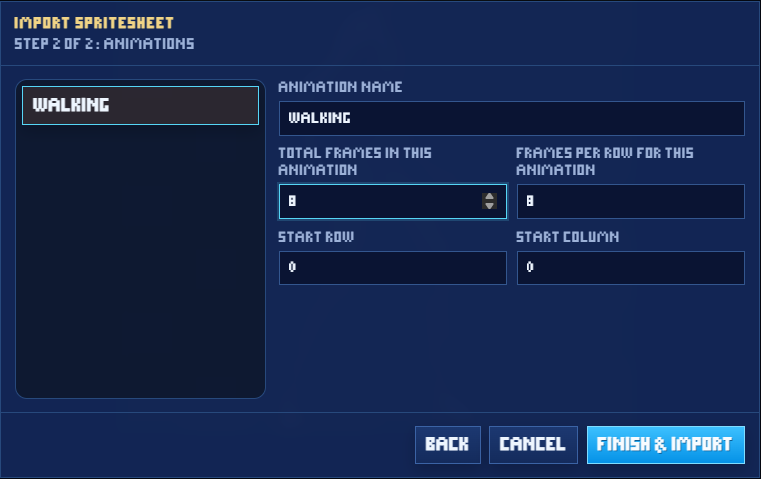
- Import a sheet with no metadata, define frame size and animation rows, then export metadata.
- Use ghosting to adjust an attack animation frame-by-frame.
- Generate a 16-color dithered version of a sprite for a retro game.
- Rebuild a messy sheet into a cleaner animation layout.
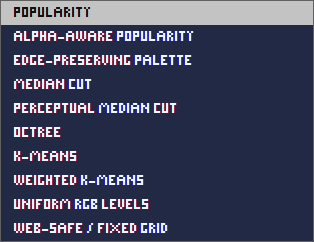
Palette generation options:
Dither options:
Output settings:
Import wizard:
Notes:
GridMotion is designed for spritesheet editing, not full illustration work. It works best with pixel art, small-to-medium spritesheets, animation cleanup, palette experiments, and game asset preparation.
Purchase
In order to download this tool you must purchase it at or above the minimum price of $2.49 USD. You will get access to the following files:
Download demo
Comments
Log in with itch.io to leave a comment.
Any feedback or bug reports are welcome!